


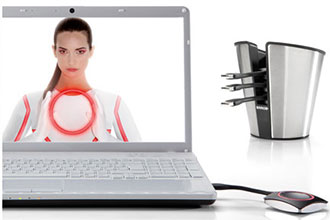
What’s ClickShare? Well, basically it’s a wireless content sharing “system” that allows you to send everything that’s on a laptop screen (Windows or MAC), iPad or iPhone to a large screen (any brand) — all wirelessly through a network. To make it work with computers, all you have to do is connect the ClickShare button to a USB port on your laptop, download the ClickShare App, connect to the ClickShare network and you’re wirelessly projecting whatever’s on your screen on the connected projectors or monitors at the front of the room. And, connecting a ClickShare Button to your laptop does not change your screen resolution.
And, now, you can get ClickShare through Almo Pro A/V. rAVe’s founder Gary Kayye was given exclusive access to both Almo’s vice president, Sam Taylor, and Barco’s vice president, Patrick Lee, and the three of them talk about the announcement and the implications for the market. You can watch the live Skype video interview now:
