

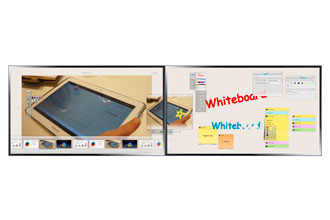

Samsung MagicIWB 3.0 is software that enables customers to use multiple devices as one screen for collaboration. Available on Samsung MD and ME Series displays, MagicIWB 3.0 creates a large digital whiteboard solution using individual displays, which multiple people can use to simultaneously collaborate on projects and share ideas. Engineered with efficiency, cost savings and collaboration in mind, MagicIWB 3.0 provides an expansive visual and collaborative experience that is ideal for enterprise (meeting rooms) and education (high school and university) environments, particularly customers in those environments that have a need for a large, collaborative display with dimensions of 100” and above, but have limited budgets or physical space constraints.
Key MagicIWB 3.0 features include:
- Post-its – The software provides a feature that allows users to generate digital post-it notes on the screen, either for personal reference or for sending to a colleague or student’s screen.
- MS Office Documents support – The software enables users to opening Microsoft Word, Excel and/or PowerPoint documents and collaborate, make edits or discuss with a groups of colleagues or among students.
- Wired and wireless network support – Yhe software enables content sharing between physically separated e-boards in a wired or wireless network environment.
- Email support – Users have the ability to open, view and digitally write on or highlight certain email messages while collaborating in a group setting.
- Gesture control – The software supports directional gestures (one hand, two fingers), sequential gestures (two hands, one finger) and concurrent gestures (two hands, one finger).
- Floating menu – An editing menu that can be moved to any location on the screen via touch support.
- Allows for any configuration, including vertical, horizontal and even diagonal placement on a video wall.